Beyond the Screen: How CodeMonkey is Revolutionizing STEM Education for the Next Generation
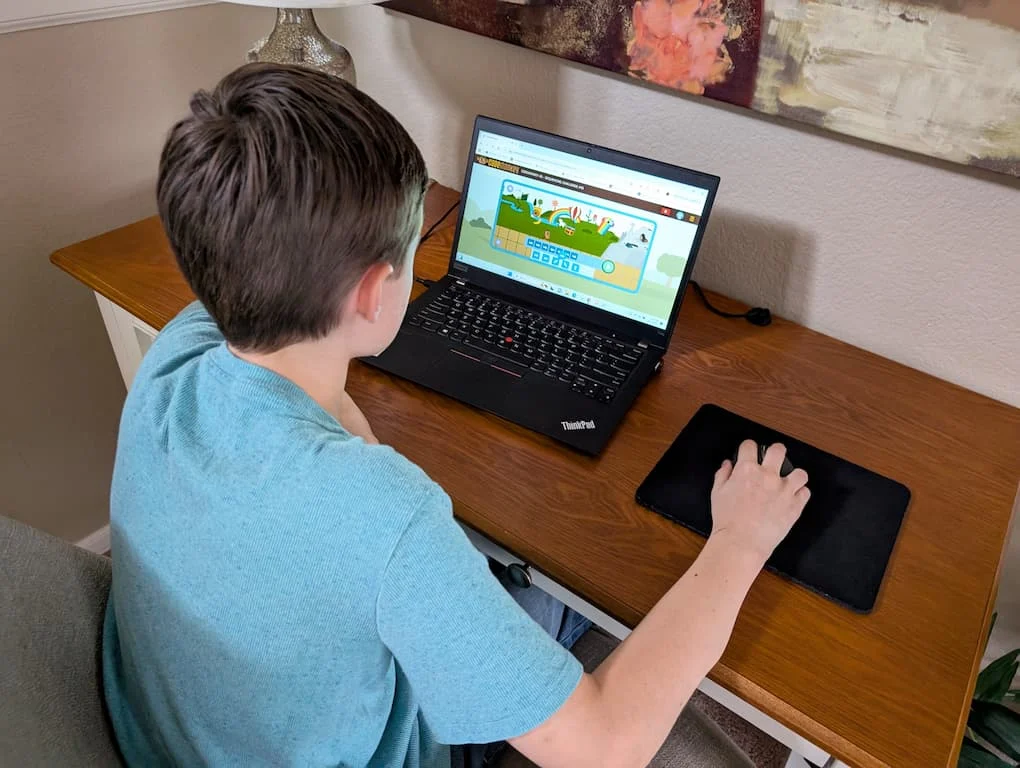
In the rapidly evolving landscape of the 21st-century workforce, digital literacy has shifted from a specialized skill to a foundational necessity. As schools scramble to integrate computer science into their curricula, parents and educators alike are seeking tools that transcend the limitations of dry, text-heavy tutorials. Enter CodeMonkey, an award-winning, game-based learning platform that is fundamentally changing how children from preschool through 8th grade approach the art and science of programming.
By transforming complex syntax into an interactive, narrative-driven adventure, CodeMonkey has successfully bridged the gap between entertainment and education. It isn’t just a game; it is a sophisticated pedagogical tool that teaches real-world programming languages like Python and JavaScript, preparing students for a future where technology is the primary language of innovation.
The Core Fundamentals: What is CodeMonkey?
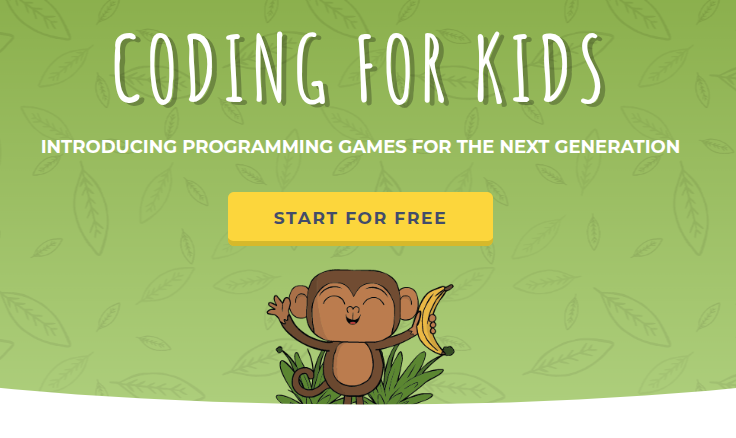
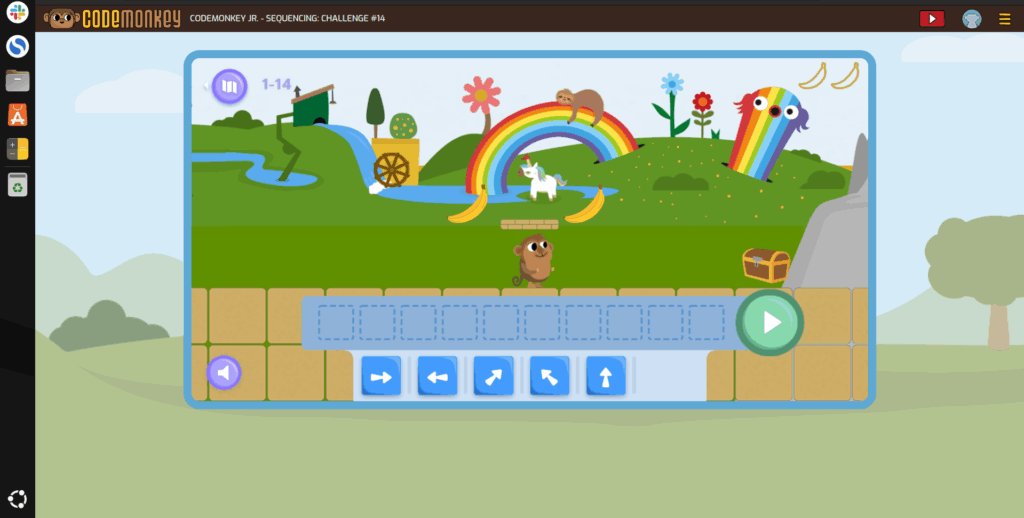
At its heart, CodeMonkey is an online educational platform designed to introduce students to the logic of programming through a series of increasingly complex challenges. The central premise is intuitive: users write code to navigate a monkey through a digital landscape to collect bananas.
This gamified approach is not merely about engagement; it is rooted in cognitive science. By providing immediate visual feedback, the program allows children to see the direct results of their code. When a student writes a command, the monkey moves accordingly. If the code is flawed, the student must debug the process, encouraging a growth mindset and resilience in the face of failure—a crucial trait for any aspiring programmer.
The Evolution of the Curriculum
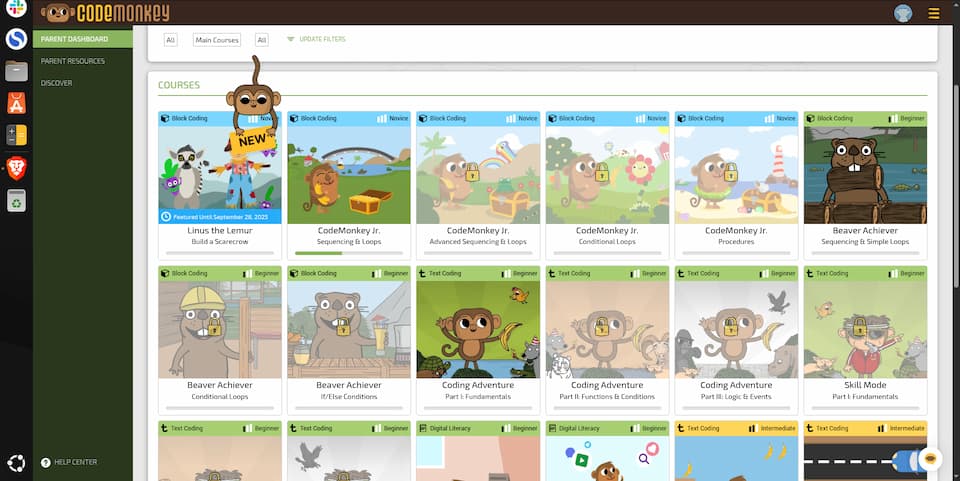
The platform caters to a broad developmental spectrum. For the youngest learners, CodeMonkey Jr. provides a gentle introduction using visual, block-based programming. This stage is vital for developing computational thinking—the ability to break down large problems into smaller, manageable steps—before the child even learns to read fluently.
As students progress, the platform transitions them to text-based coding. This is the "Aha!" moment for many young learners: the realization that the blocks they once dragged and dropped are actually representations of professional-grade syntax.
A Chronology of Learning: From Preschool to Middle School
The pedagogical design of CodeMonkey is structured to grow alongside the student.
- The Foundations (Preschool – 2nd Grade): The journey begins with CodeMonkey Jr. The focus here is on logic, sequencing, and the introduction of basic commands. Children learn to think in algorithms without the intimidation of complex syntax.
- The Adventure Phase (3rd – 5th Grade): This is the flagship phase. Using CoffeeScript and later Python, students navigate the "Coding Adventure." With over 400 challenges, the curriculum builds upon itself. Each completed level is not just a win; it is a reinforcement of previously learned concepts.
- The Mastery Phase (6th – 8th Grade): In the middle school years, the focus shifts toward more complex data structures and independent project development. Through the "Game Builder" tool, students move from being passive players to active creators, designing their own interactive games and sharing them with peers.
Supporting Data: Why Gamification Works
The efficacy of CodeMonkey is supported by the broader shift toward "EdTech" and gamification in global classrooms. Research indicates that students retain information more effectively when they are emotionally invested in the outcome of their tasks.
- Immediate Feedback Loops: Unlike traditional assignments where grading might take days, CodeMonkey provides instant validation. If the code works, the monkey gets the banana. If it doesn’t, the student is prompted to review their syntax.
- Skill-Based Tracking: The platform’s backend provides granular data on a student’s performance. Parents and teachers can access a "skill mode" dashboard that identifies exactly which programming concepts—such as loops, variables, or functions—a student has mastered and where they may need additional support.
- Accessibility: Because the platform is browser-based, it removes the technical barrier to entry. There is no complex software installation required, making it an ideal solution for both high-resource school districts and home-based learning environments.
Technical Proficiency: The Programming Concepts Covered
CodeMonkey does not "dumb down" programming; it contextualizes it. By the time a student completes the advanced courses, they have been exposed to the same structural concepts used by software engineers at top tech firms.
1. Loops and Functions: The Efficiency Engines
Students learn that repetition is the enemy of efficient code. By using loops, they learn how to condense 100 lines of manual commands into a few lines of elegant, reusable logic. Functions further refine this by acting as "recipes"—pre-defined blocks of code that can be called upon whenever a specific task needs to be performed.
2. Objects and Arrays: Organizing Data
Understanding how to store and retrieve information is a cornerstone of computer science. CodeMonkey teaches children to view objects as digital containers for information and arrays as structured lists. These are not abstract concepts; they are the tools used to build everything from mobile apps to database management systems.
3. Variables and Conditions: Making Decisions
Perhaps the most empowering aspect of the curriculum is the introduction of Boolean logic and if-else conditions. When a child writes code that tells the program, "If the player’s score is over 100, then display a victory message," they are learning the fundamental "if-then" decision-making process that governs all modern software.
Official Perspectives: Educators and Industry Experts
Educators who have integrated CodeMonkey into their classrooms often cite the platform’s ability to reduce "coding anxiety." Traditional computer science education is often plagued by the perception that it is a solitary, hyper-technical pursuit reserved for geniuses. CodeMonkey dismantles this stereotype by framing coding as a collaborative, creative, and highly visual endeavor.
According to developer documentation and teacher testimonials, the platform’s "teacher dashboard" is designed to minimize the administrative burden on instructors. By offering ready-made lesson plans and automated grading, it allows teachers—even those without a background in computer science—to facilitate high-quality lessons confidently.
The Implications of Early Coding Education
The implications of adopting a platform like CodeMonkey go far beyond learning a specific language like Python. We are currently witnessing a shift in the global economy where "code" is the new literacy.
Bridging the Gender and Opportunity Gap
By starting in elementary school, CodeMonkey helps dismantle the societal barriers that often prevent girls and underrepresented groups from entering STEM fields. When a child learns that coding is a creative tool rather than a cold, robotic task, they are more likely to pursue it as a career path.
Future-Proofing Careers
The skills gained through this program—critical thinking, algorithmic design, and debugging—are highly transferable. Even if a student does not grow up to be a software engineer, the ability to approach complex problems with a systematic, logical mindset is an asset in any profession, from medicine to law and the creative arts.
Frequently Asked Questions
Q: Does my child need prior experience to start?
A: Not at all. The platform is designed for total beginners. Younger students start with visual blocks, and older students are eased into text-based coding through a scaffolded curriculum that builds confidence at every step.
Q: How does CodeMonkey handle privacy and cookies?
A: The platform uses session-based cookies strictly for essential functionality, such as keeping students logged in and tracking their progress. It does not engage in the predatory third-party data tracking often found on commercial websites, and families have full control over their privacy settings.
Q: Is this suitable for a homeschooling environment?
A: Absolutely. In fact, many homeschool parents find it to be an ideal "all-in-one" solution. With parent dashboards, progress reports, and access to video tutorials for when a child gets stuck, it provides the structure of a classroom with the flexibility of home learning.

Q: Is there a way to test the platform before committing?
A: Yes, CodeMonkey frequently offers trials or free demo lessons. This is highly recommended to ensure the difficulty level matches your child’s current development.
Conclusion: A New Frontier in Learning
In a world where technology is continuously reshaping our reality, the ability to speak the language of machines is an essential skill. CodeMonkey stands out as a premier educational partner for parents and schools, not because it turns every child into a programmer, but because it teaches every child that they have the power to create, to troubleshoot, and to understand the digital world around them.
By replacing the frustration of static textbooks with the joy of discovery, CodeMonkey is fostering a generation of thinkers who are not just consumers of technology, but architects of the future. Whether you are an educator looking to enrich your classroom or a parent seeking a productive outlet for your child’s screen time, this platform provides the structure, the challenge, and the fun necessary to turn a curious child into a confident coder.