Decoding the Future: A Comprehensive Review of the CodeMonkey Educational Ecosystem
In the rapidly evolving landscape of 21st-century education, digital literacy has shifted from an elective luxury to a fundamental necessity. As the demand for software developers, data scientists, and systems engineers grows, parents and educators are tasked with a critical challenge: how to introduce complex programming concepts to children without stifling their innate curiosity under the weight of dry syntax and abstract theory.
Enter CodeMonkey, an award-winning, game-based learning platform that has fundamentally reimagined computer science education. By moving away from traditional, text-heavy instructional methods, CodeMonkey transforms the daunting task of learning syntax into an immersive, narrative-driven adventure.
Main Facts: What is CodeMonkey?
CodeMonkey is an online coding platform specifically engineered to bridge the gap between early childhood play and professional-grade programming. Unlike conventional educational software that relies on passive video consumption, CodeMonkey prioritizes active, "learning-by-doing" pedagogy.
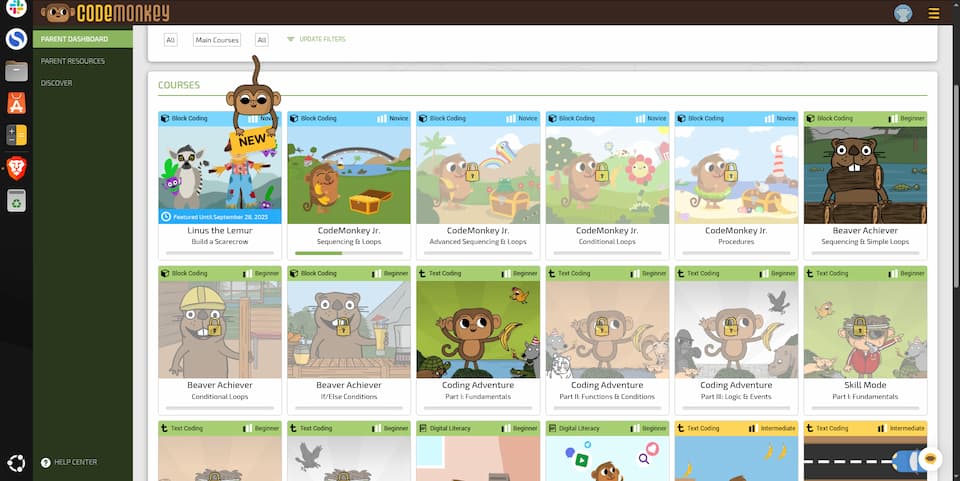
At its core, the platform serves students ranging from preschool age through 8th grade. The curriculum is meticulously structured to evolve alongside the learner:
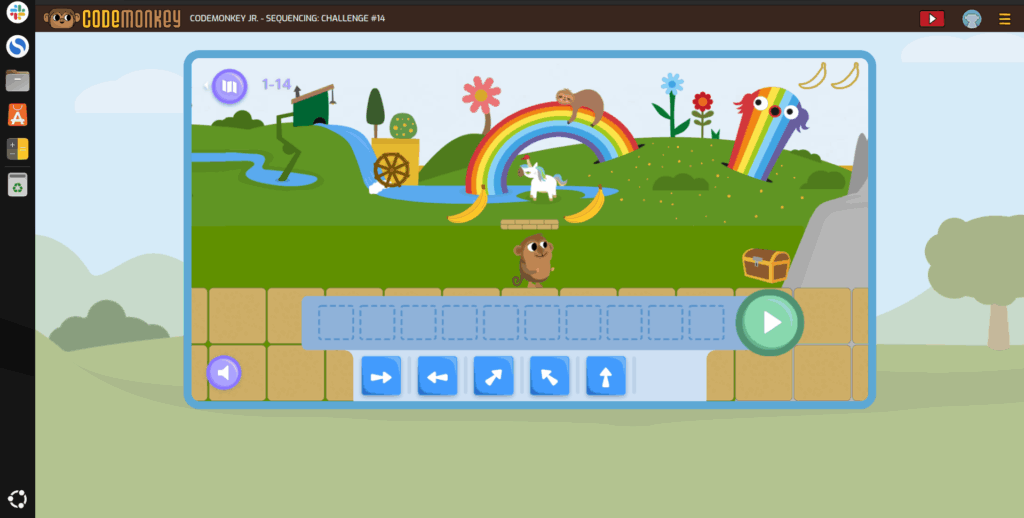
- For the youngest learners: CodeMonkey Jr. utilizes intuitive, block-based interfaces that allow children to develop computational thinking skills before they are even fully literate.
- For intermediate and advanced students: The platform transitions seamlessly into text-based coding languages, including CoffeeScript, JavaScript, and Python.
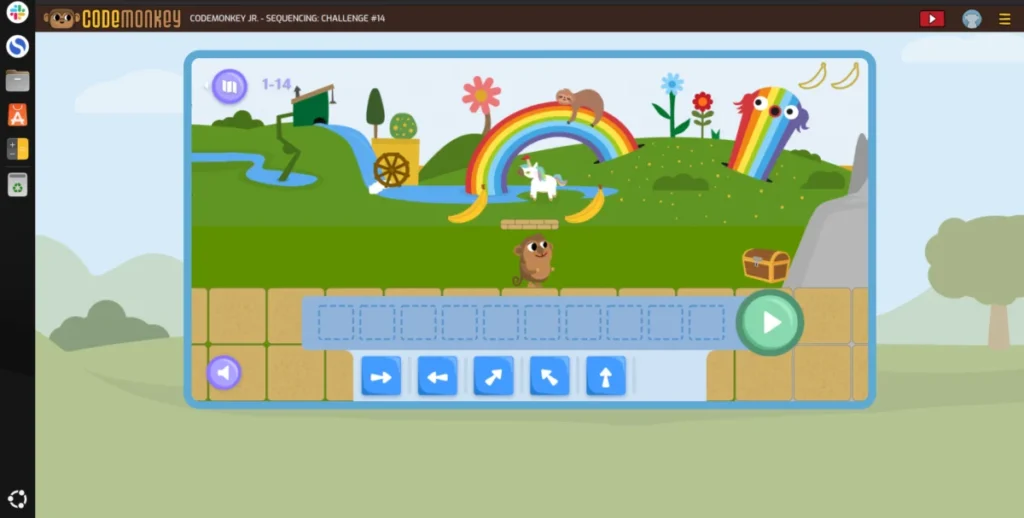
The primary objective is not merely to teach students how to copy code, but to instill a deep understanding of logic, sequence, and algorithmic problem-solving. By guiding a virtual monkey through over 400 interactive challenges to collect bananas, students apply real-world programming concepts in a low-stakes, high-engagement environment.
Chronology: The Evolution of Coding Pedagogy
To understand why platforms like CodeMonkey are so effective, one must look at the evolution of coding education.
1. The Era of Textbooks and Manuals: Early computer science education was largely theoretical, confined to thick manuals and command-line interfaces. This approach often alienated students who lacked the patience for trial-and-error debugging in a vacuum.
2. The Rise of YouTube Tutorials: As the internet matured, video-based learning became the gold standard. While accessible, this model was often criticized for being passive; students would watch a tutorial without internalizing the logic behind the code.
3. The Gamification Revolution: Within the last decade, the industry shifted toward "gamification." By leveraging the psychological triggers found in popular video games—instant feedback, level progression, and achievement tracking—platforms like CodeMonkey have succeeded where traditional methods failed.
4. Modern Integration: Today, CodeMonkey sits at the forefront of this shift, serving as a primary tool in both public school classrooms and specialized homeschooling environments. It represents a maturation of educational technology, where software is no longer just a digital textbook, but an interactive learning laboratory.

Supporting Data: Why Gamification Works
The efficacy of CodeMonkey is rooted in well-documented educational psychology. According to various studies on STEM engagement, gamification improves retention rates for complex subjects by 30% to 40% when compared to standard instructional methods.
The Power of Immediate Feedback
In a standard classroom setting, a student might write code, turn it in, and wait days for a grade. In CodeMonkey, the feedback loop is instantaneous. When a student writes a line of code to move the monkey, they see the result immediately. If the monkey fails to reach the banana, the student is not "failing"—they are "debugging." This subtle shift in terminology encourages a growth mindset, turning errors into productive learning moments.
Scaffolding Complex Concepts
CodeMonkey employs a technique called "scaffolding," where information is presented in manageable, incremental layers:
- Loops: Students learn to automate repetitive tasks, effectively teaching them how to write cleaner, more efficient code.
- Functions: Students learn to package complex instructions into reusable "recipes," a core tenant of modular programming.
- Variables and Conditions: By using Boolean logic ("if this, then that"), students learn the decision-making processes that underpin every modern operating system and web application.
Official Responses and Educator Perspectives
The industry reception for CodeMonkey has been overwhelmingly positive. Educators and parents alike have praised the platform’s ability to "demystify" computer science.
Classroom Integration
Teachers have reported that CodeMonkey is particularly effective during events like the "Hour of Code." Because the platform is cloud-based, it removes the technical hurdles of setting up compilers or development environments on school hardware. Educators appreciate the robust teacher dashboard, which provides real-time analytics on student progress, allowing them to provide targeted support to students who are struggling with specific concepts like nested loops or array manipulation.
The Homeschooling Advantage
For the homeschooling community, CodeMonkey provides a structured, self-paced curriculum that requires minimal prep time. The platform’s ability to track progress allows parents to see exactly where a child’s strengths and weaknesses lie. Furthermore, the inclusion of video tutorials and "chatbot" support ensures that even parents without a computer science background can confidently guide their children through the curriculum.
Implications: The Long-Term Value of Early Coding
The implications of early exposure to coding extend far beyond the ability to write a Python script. By engaging with CodeMonkey, students are developing a set of "transferable skills" that are highly valued in any career path.
Critical Thinking and Problem Solving
Coding is, at its heart, the art of breaking down a massive problem into a series of small, solvable steps. This skill—often called "computational thinking"—is applicable to fields as diverse as law, medicine, and engineering.
Future Career Readiness
As we move further into an automated economy, basic fluency in programming languages like Python will become as fundamental as literacy and numeracy. By starting students early, platforms like CodeMonkey are effectively preparing the next generation to be creators, not just consumers, of technology.
Developing Digital Citizenship
Through the study of how websites and games function, students gain a deeper understanding of the digital world they inhabit. They learn about data, privacy (such as the use of cookies), and the logic that governs the apps they use daily. This demystification is a critical step toward raising informed, responsible digital citizens.
Technical Insights: What Happens Under the Hood?
For those curious about the technical transition, the journey from block-based to text-based coding is designed to be seamless.
- CoffeeScript to JavaScript: CodeMonkey introduces students to CoffeeScript, a language that compiles into JavaScript. This acts as a "training wheels" version of real-world languages, removing the often-confusing syntax of standard JavaScript while maintaining the underlying logic.
- Python Integration: As students advance, they graduate to Python. Python is currently one of the most widely used languages in the world, serving as the backbone for everything from Artificial Intelligence research to web development. Learning this in a controlled, game-based environment gives students a significant "leg up" when they eventually transition to high school or college-level computer science courses.
Conclusion: Is CodeMonkey Right for Your Child?
If you are a parent or educator looking to instill a love for technology, CodeMonkey offers a unique blend of pedagogy and play. It is not merely a tool for teaching code; it is a framework for developing a way of thinking that is essential for the future.
While there are many resources available for learning to code, few bridge the gap between "fun" and "functional" as effectively as this platform. By turning the screen into a playground and the keyboard into a tool for creation, CodeMonkey has ensured that the next generation of coders will not just be qualified—they will be inspired.
Whether your goal is to help your child land a future career in tech or simply to help them sharpen their logic and problem-solving skills, CodeMonkey provides the foundation upon which that future can be built. As the digital landscape continues to expand, giving children the tools to understand and manipulate that world is perhaps the greatest gift an educator can provide.
Frequently Asked Questions (FAQ)
1. Is prior coding experience required to start?
Absolutely not. The platform is designed from the ground up for absolute beginners. Younger students start with visual puzzles that require no reading, while older students are walked through the syntax of text-based languages.

2. How do I track my child’s progress?
The parent/teacher dashboard provides a comprehensive overview of every lesson completed, the stars earned, and the specific programming concepts mastered. It is an invaluable resource for ensuring that learning is consistent.
3. Does this replace formal computer science education?
While it is an excellent supplement, it should be viewed as an foundational tool. It prepares students for more advanced study, providing the "mental models" they will need to succeed in high school or college-level programming.
4. What devices are required?
Because it is browser-based, CodeMonkey is accessible on almost any device with a modern web browser and an internet connection. This makes it ideal for school computer labs, home laptops, or even tablets.
5. How does it handle data and privacy?
CodeMonkey is committed to privacy and uses standard session-based cookies only to maintain the user’s progress and ensure a smooth, personalized experience. Parents maintain full control over their account settings.